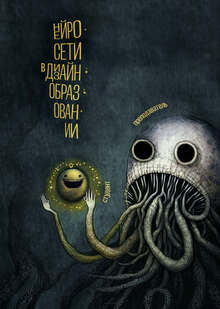
Дмитрий Андрияшкин описывает диалоговые промты для нейронных сетей как тренд 2024 года, предлагающий творческий подход к взаимодействию с ИИ. Проект включает конкретные примеры методов, таких как назначение ролей известным дизайнерам и использование открытых вопросов для генерации идей.
Дмитрий Андрияшкин обсудил применение нейросетей в образовании и PR на встрече клуба «Самовар». Проект включает примеры промтов для редактирования текста и анализа стилей блогеров и авторов книг.
Олег Пащенко рассказывает о применении нейросетей в образовательных процессах дизайн-курса «Дизайн в цифровой среде». Проект включает использование MidJourney и ChatGPT для создания иллюстраций, поиска форм и генерации текстовых описаний для учебных задач.
Дмитрий Андрияшкин рассказывает, как использовать нейросети для автоматизации маркетинговых задач в видеоинтервью. В проекте обсуждаются конкретные примеры применения ChatGPT и Яндекс Алисы для повышения эффективности работы в маркетинге.
brnd
For us, a startup is a creative and innovative project with great potential for growth. We are dedicated to finding the best projects and helping them refine their concept, develop branding, and create effective promotion strategies. We also invest in production and replication to ensure their success. Are you ready to take your business to the next level? Join our startup incubator program and let us help you grow.
Brand accelerator
Startup ideas
Marketplace shops
We use cookies to improve the operation of the website and to enhance its usability. More detailed information on the use of cookies can be fo...
Show more
Press space bar to start a drag.
When dragging you can use the arrow keys to move the item around and escape to cancel.
Some screen readers may require you to be in focus mode or to use your pass through key
Press space bar to start a drag.
When dragging you can use the arrow keys to move the item around and escape to cancel.
Some screen readers may require you to be in focus mode or to use your pass through key
Press space bar to start a drag.
When dragging you can use the arrow keys to move the item around and escape to cancel.
Some screen readers may require you to be in focus mode or to use your pass through key
Press space bar to start a drag.
When dragging you can use the arrow keys to move the item around and escape to cancel.
Some screen readers may require you to be in focus mode or to use your pass through key
Press space bar to start a drag.
When dragging you can use the arrow keys to move the item around and escape to cancel.
Some screen readers may require you to be in focus mode or to use your pass through key
Press space bar to start a drag.
When dragging you can use the arrow keys to move the item around and escape to cancel.
Some screen readers may require you to be in focus mode or to use your pass through key
Press space bar to start a drag.
When dragging you can use the arrow keys to move the item around and escape to cancel.
Some screen readers may require you to be in focus mode or to use your pass through key
Press space bar to start a drag.
When dragging you can use the arrow keys to move the item around and escape to cancel.
Some screen readers may require you to be in focus mode or to use your pass through key
Press space bar to start a drag.
When dragging you can use the arrow keys to move the item around and escape to cancel.
Some screen readers may require you to be in focus mode or to use your pass through key